Aegis provides affordable, low power Wi-Fi sensor network solutions that make a ubiquitous sensing world come alive and a full line of controlled temperature cabinets. Laboratory, Pharmacy and Chromatography refrigerators and freezers which are designed to meet the dimensional and temperature requirements of the scientific community.

What Is the Best Freezer Temperature Monitor in 2026?
Choosing the best freezer temperature monitor in 2026 starts with a simple question: can it reliably show when your freezer warms? A carton of ice cream may soften before a basic dial reveals a problem. Small temperature changes matter.
The USDA Food Safety and Inspection Service recommends keeping a home freezer at 0°F (-18°C) or below. Its food-safety guidance also recommends using an appliance thermometer to check the actual temperature. That gives buyers a practical benchmark. The FDA Food Code (2022) provides a professional reference for food temperature control in retail settings, though it is not a consumer product test or a household buying guide.
For this comparison, useful features include clear temperature readings, adjustable alerts, dependable sensors, and easy-to-check battery status. Wireless range matters too. A monitor that loses connection in a basement freezer can create false confidence. App graphs look useful, but they do not replace an audible alarm or a quick manual check. No device is perfect.
This guide compares freezer temperature monitors by accuracy claims, alert options, setup, and everyday reliability. Manufacturer specifications are not the same as independent testing, so treat impressive claims carefully. The best choice should make temperature changes easy to notice, even when you are away from home.
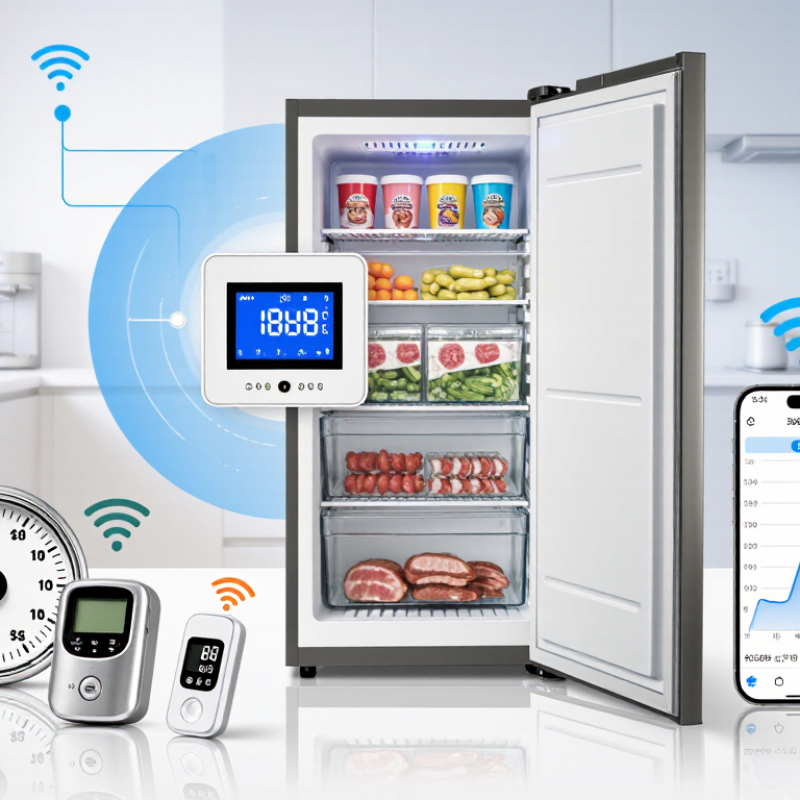
Table of Contents
[Hide]
What a Freezer Temperature Monitor Measures and Why It Matters
What Is the Best Freezer Temperature Monitor in 2026?
What a Freezer Temperature Monitor Measures and Why It Matters
A freezer temperature monitor measures the temperature around its sensor, usually inside the freezer compartment. It does not automatically tell you the temperature at every shelf or inside every package. That distinction matters. Air near the door may warm briefly when someone opens it, while food in the center stays colder. A reading can therefore change quickly without meaning the food has warmed by the same amount.
For home food storage, a freezer is generally kept at 0°F (-18°C) or colder. A monitor helps reveal patterns that a built-in dial may hide, such as overnight warming, a door left ajar, or slow cooling after groceries are loaded. Placement matters: keep the sensor away from the door, walls, and direct airflow for a more useful reading. Some devices use a buffered probe, which responds more slowly and may better reflect stored food conditions. Neither method is perfect. A monitor is a guide, not a substitute for checking the freezer when something seems wrong. If temperatures fluctuate, note when they happen and verify the reading with a separate thermometer. Small details count. A single number can reassure you, but the trend often tells the fuller story.
What Is the Best Freezer Temperature Monitor in 2026? - What a Freezer Temperature Monitor Measures and Why It Matters
| Monitor type or feature | What it measures or provides | Best suited for | Advantages | Limitations to consider |
|---|---|---|---|---|
| Best simple choice: digital min/max thermometer | Current temperature, plus the highest and lowest temperatures recorded since the memory was last reset. | Households that want an affordable local check without an app or network connection. | Straightforward to read; min/max memory can reveal temperature changes that happened while the freezer was unattended. | Usually cannot send a remote alert. Maximum and minimum readings are more useful when checked and reset regularly. |
| Best for remote alerts: wireless sensor monitor | Temperature at the sensor, with readings sent to a nearby receiver or compatible connected device; some models also track high and low readings. | People who want to check conditions without opening the freezer or who need an audible alert nearby. | Convenient remote viewing; alarms can warn of a temperature rise, depending on the monitor’s features and connection. | Wireless range, battery life, signal interruptions, and compatibility can affect performance. |
| Best for reviewing temperature history: data logger | Temperature readings saved at set intervals, creating a record of changes over time; some units provide high/low summaries or exportable logs. | Users who need a temperature history for troubleshooting, routine checks, or recordkeeping. | Shows patterns and the timing or duration of temperature changes more clearly than a single spot check. | Readings may need to be downloaded or reviewed; logging interval and storage capacity vary by device. |
| Best for notifications away from home: connected monitor | Temperature readings and, when supported, app notifications if readings pass a user-set threshold. | People who want to receive alerts while away and have reliable network access. | Can provide remote status checks and alerts without requiring someone to be beside the appliance. | Remote alerts depend on power, internet or hub availability, app settings, and notification permissions. |
| Current temperature | The temperature at or near the sensor at the time of the reading. | Routine checks and confirming the freezer is operating near its intended setting. | Gives an easy-to-understand snapshot of conditions. | A single reading cannot show how warm the freezer became earlier or how long a change lasted. |
| High/low temperature memory | The warmest and coldest readings recorded during a period, typically since the last reset or power cycle. | Finding out whether temperatures changed between manual checks. | Adds context beyond the current reading and can flag a possible temperature excursion. | A high reading alone may not show how long the temperature stayed elevated; check the device’s memory behavior. |
| Temperature alarm and alert delay | Whether a reading crosses a selected temperature limit, sometimes only after remaining beyond it for a set time. | Early warning of a door left open, power interruption, or appliance problem. | Can prompt a timely check before a temperature issue goes unnoticed. | Choose a threshold and delay suited to the freezer; brief door openings can cause temporary changes, and not every alarm is a remote notification. |
| Accuracy and display units | How close the displayed reading is to the actual temperature, usually specified as a tolerance; readings may be shown in °F, °C, or both. | Anyone relying on readings to assess whether the freezer is near its target temperature. | A clearly stated accuracy tolerance makes it easier to judge whether a reading difference is meaningful. | Accuracy varies by device and conditions. Compare the stated tolerance and follow the instructions for placement and verification. |
| Recommended freezer target | 0°F (−18°C) or colder is the commonly recommended freezer temperature for storing food. | Setting a practical reference point for checks and alarm configuration. | Provides a clear benchmark for monitoring the freezer compartment. | Follow appliance guidance where applicable. A monitor reading describes the sensor location and does not by itself determine food quality or safety after a temperature event. |
| Placement and power | Sensor location, battery or mains power, and—where relevant—wireless signal status. | All freezer-monitor users, especially those relying on alarms or remote access. | Correct placement and working power help make readings and alerts more useful. | Follow the device instructions, avoid obstructing the door seal, and check batteries and signal periodically. |
Practical takeaway: for most homes, a digital min/max thermometer is a useful basic option; choose a monitor with alarms or logging when remote warning or temperature history is important. Keep the freezer at 0°F (−18°C) or colder.
Related Posts
-
China Best Freezer Temperature Monitor Buying Guide
-
How to Choose the Best Freezers and Refrigerators for Your Home?
-
How to Set the Ideal Freezer Temperature for Optimal Food Storage?
-
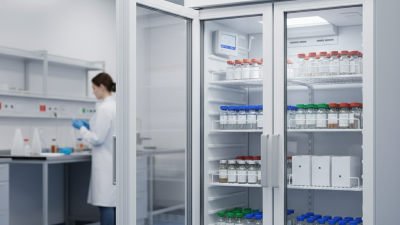
Top 10 Vaccine Refrigerator Models for Optimal Storage Solutions?
-
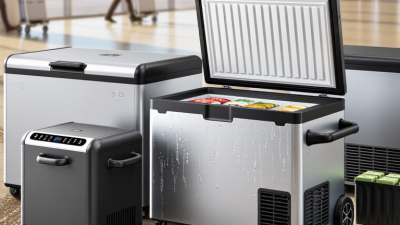
Top Portable Refrigerator Freezer for Global Buyers?
-
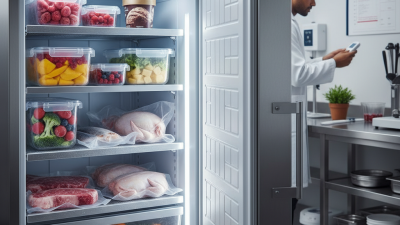
Top 10 Benefits of Using Low Temperature Freezers for Food Storage?
Contact Us
Phone
Toll Free: 1-800-796-2344
OH: 513 204 5837
PA: 215-281-9180
support@site_367d8ed1-a876-442b-a1d7-b1fc1cf4ed19